Virtual Data Room for Startups: What It Is and When You Need One
Learn what a virtual data room is for startups, when early-stage founders need one, which documents to include, and how to prepare for diligence.

You have just finished a good investor meeting. They liked the product, understood the vision, and before ending the call they say:
“Looks interesting. Can you send over your financials, cap table, customer metrics, and legal documents?”
At first, it feels like progress.
Then reality hits.
Your pitch deck is in one folder. Financial statements are in Google Drive. Customer contracts are buried in an inbox. Your cap table has three versions, and you are not sure which one is current.
You spend the next few hours collecting files, renaming documents, uploading PDFs, and sending long email threads.
This is exactly why startups use a virtual data room. Instead of sending dozens of attachments, you create one secure place to organize important documents, control access, and give investors a clearer path through due diligence.
The short answer
A virtual data room for startups is a secure, organised place to share confidential fundraising documents with controlled access. It becomes worthwhile when the document set is sensitive, several people need to review it, or you need to keep track of who has access.
You probably do not need a full enterprise room for an introductory pitch-deck send. You may need one when a serious investor asks for financial, legal, customer, or ownership material. The goal is proportionality: enough structure to keep the process clear, not more software than the round requires.
What is a virtual data room?
A virtual data room (VDR) is a secure online workspace for storing and sharing confidential business documents with investors, buyers, lawyers, accountants, or partners.
Think of it as a private digital filing cabinet built for situations where security, permissions, and visibility matter.
Unlike regular cloud storage, a virtual data room is designed around controlled access and document review. Depending on the platform, it can help you:
- store confidential company documents
- share files with selected people
- control who can view or download documents
- keep current versions in one place
- track document activity
- reduce long email threads and duplicate attachments
The basic idea is simple: instead of sending every file separately, you share one organized link and manage access from the room.
Why do startups use a virtual data room?
Fundraising is not only about presenting a pitch deck. Once an investor becomes seriously interested, they usually begin due diligence — the process of reviewing the business before making an investment.
That review may include:
- financial statements
- revenue reports and projections
- cap tables
- customer contracts
- legal agreements
- product and technical information
- team details
Sending these documents individually through email creates predictable problems:
- documents become difficult to track
- investors receive outdated versions
- attachments may be filtered or missed
- sensitive files can be forwarded without your knowledge
- each investor request creates more manual work
A startup data room gives everyone one source of truth. You can keep the room current, share access gradually, and see whether the material is actually being reviewed.
For a broader checklist of what to prepare, see Startup Data Room Checklist for Pre-Seed and Seed Founders.
When should you create a virtual data room?
Many founders wait until an investor explicitly asks for a data room. That is usually the most stressful time to start building one.
Preparing the room before fundraising begins lets you:
- respond to investor requests quickly
- find documents without searching across five tools
- avoid last-minute file gathering
- catch missing or outdated information earlier
- present the company more professionally
You do not need to upload every document on day one. A better approach is to prepare the structure early, add the core materials, and expand access as conversations become more serious.
That is especially useful for a pre-seed or seed raise, where the goal is not to create a giant corporate archive. The goal is to make the next investor conversation easier.
What documents should a startup data room include?
Every startup is different, but investors tend to ask for similar categories of information.
1. Company information
Start with the documents that explain what the company is and where it is going:
- current pitch deck
- company overview
- mission and vision
- business model
- company timeline
- organizational chart
Keep the pitch deck current and make sure the version in the room matches the version you are sending in conversations.
2. Financial information
Financial transparency is one of the most important parts of due diligence. Depending on your stage, include:
- profit and loss statements
- balance sheets
- cash flow statements
- revenue reports
- financial projections
- budget forecasts
- burn rate
- runway calculations
Label the period covered by each document clearly. “Financials latest.pdf” is less useful than Financials - June 2026.pdf.
3. Legal documents
Legal documents help investors understand ownership, obligations, and compliance. Common examples include:
- certificate of incorporation
- shareholder agreement
- founders agreement
- ESOP documentation
- trademark registrations
- patent information
- intellectual property ownership
- material contracts
Some of these files may only need to be available once an investor has progressed to a serious diligence stage. Use permissions rather than exposing everything to every recipient immediately.
4. Product and technical documents
Investors may want to understand how the product works and what it takes to build and maintain it. Useful material can include:
- product roadmap
- product architecture
- technical documentation
- API documentation
- security certifications
- product demos
Only include what helps answer realistic diligence questions. A data room is not a dump for every internal document your team has ever created.
5. Customer and traction information
Show traction in a way that is easy to verify and understand:
- customer case studies
- testimonials
- revenue by customer segment
- retention metrics
- growth metrics
- key customer contracts
Be careful with confidential customer information. Use redacted documents or permissioned folders when appropriate.
6. Team information
Investors evaluate the team as well as the product. Consider including:
- founder bios
- leadership profiles
- organization chart
- hiring roadmap
- advisory board information
Keep this section concise and current. An outdated organization chart creates unnecessary questions.
How does a virtual data room work?
The workflow is straightforward.
Step 1: Upload and organize your documents
Start with logical folders rather than a long list of unrelated files. A simple startup data room structure might look like this:
Company
├── Pitch Deck
├── Financials
├── Legal
├── Product
├── Customers
└── Team
Use consistent file names and dates. If you replace a document, make it clear which version is current.
Step 2: Share one secure link
Instead of sending several attachments, share one secure link to the relevant room or folder.
Depending on the platform, you may be able to:
- password-protect the link
- require email verification
- restrict downloads
- limit access to invited users
- set an expiration date
The point is not to create friction for its own sake. The point is to keep sensitive information in a workflow you can manage.
Step 3: Control access by investor or role
Not everyone needs access to every folder. A useful permission model might look like this:
| User | Example access |
|---|---|
| Angel investor | View-only access to core materials |
| Lead investor | Full diligence access |
| Lawyer | Legal folder only |
| Accountant | Financial documents |
| Internal team | Full workspace access |
Start narrow and expand access when the conversation earns it. This keeps your room safer and makes the review experience less overwhelming.
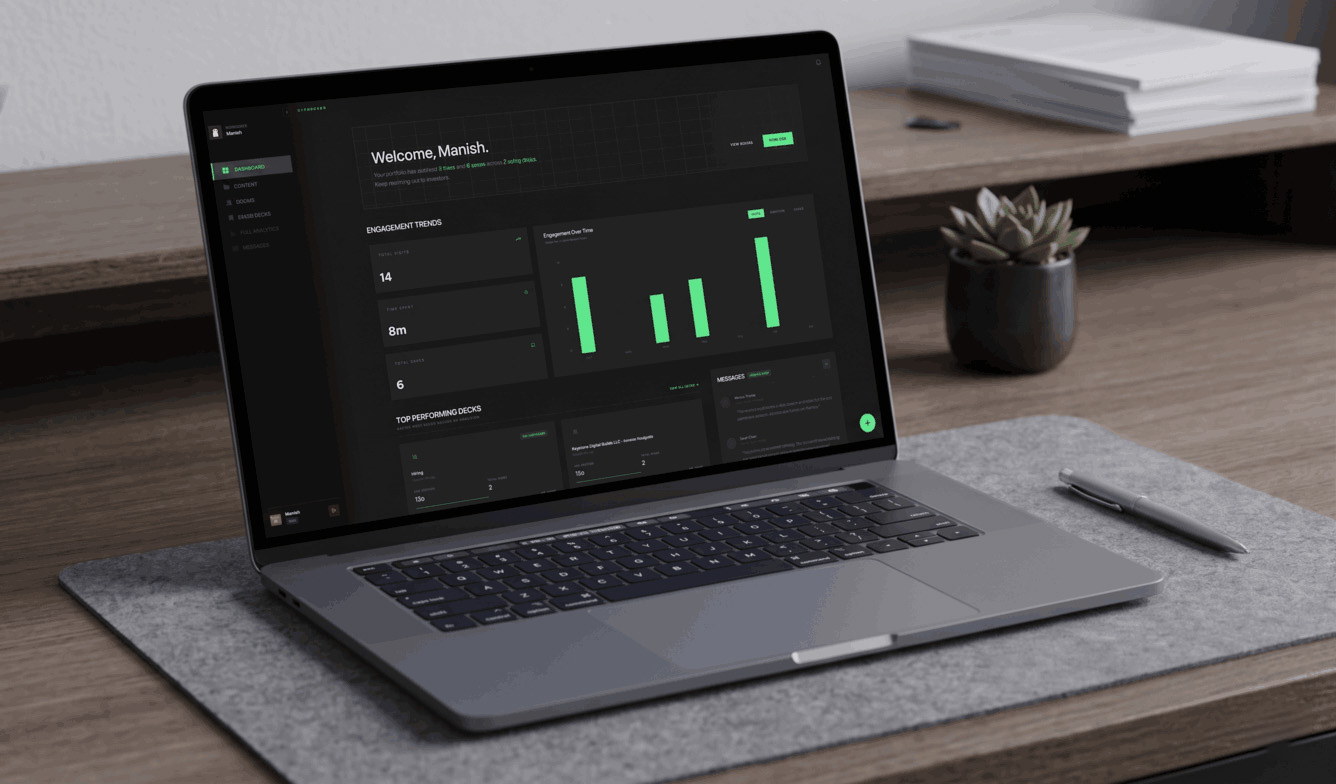
Step 4: Track investor activity
One of the most useful advantages of a virtual data room is visibility. Depending on the product, you may be able to see:
- who viewed a document
- which files they opened
- time spent reviewing material
- most-viewed documents
- last activity date
- number of visits
Analytics should help you decide what to do next. They are not a substitute for a conversation, but they can tell you whether a follow-up is timely or whether the investor has not opened the room yet.
Virtual data room vs Google Drive
Many founders ask whether they can simply use Google Drive. Technically, yes. For an early conversation with a small number of documents, it may be enough.
The difference is that Google Drive is general cloud storage, while a virtual data room is designed around controlled fundraising and due diligence workflows.
| Question | Google Drive can be enough when… | A virtual data room is usually better when… |
|---|---|---|
| The file set is small and not highly sensitive | You need familiar folders and basic sharing for a few reviewers. | You need a polished, controlled review experience. |
| Access is simple | Everyone can see the same material and you can manage permissions manually. | Different investors, counsel, or advisers need different levels of access. |
| The room is still early-stage | You are sharing a deck and a few supporting files. | You are sharing cap tables, contracts, financials, or other diligence material. |
| You need review context | Basic sharing is enough. | You need document activity, access history, or dedicated data-room controls. |
| You need to update materials repeatedly | Your team can keep the folder clean and communicate changes. | You need a structured source of truth for a live diligence process. |
Cloud storage helps you store files. A virtual data room helps you manage how sensitive files are reviewed. Google Workspace capabilities and data-room features vary by plan, so compare the exact controls you need rather than relying on a generic feature checklist.
The right choice depends on the stage and complexity of your raise. If the room is small and the documents are not sensitive, Google Drive may be adequate. If multiple external parties need controlled access and an audit trail, a purpose-built room is usually easier to manage.
Why organised rooms help diligence
An organised room gives investors and their advisers a clearer path through material that would otherwise be scattered across links and email threads. That does not replace a good company story, but it removes avoidable document-management work during diligence.
A well-organized room helps investors:
- find documents quickly
- review the latest versions
- avoid downloading dozens of attachments
- understand how the company is organized
- return to important material later
It also reduces unnecessary back-and-forth. That matters because fundraising already creates enough administrative work for both sides.
Security features to look for
Not every virtual data room offers the same controls. When comparing tools, look for the features that match the sensitivity of your documents:
- password protection
- email verification
- two-factor authentication
- encryption
- role-based permissions
- download restrictions
- view-only mode
- link expiration
- audit logs
- watermarked documents
For an early-stage raise, you may not need every enterprise feature. A clean room with sensible access controls is more useful than a complicated platform nobody wants to maintain.
Common mistakes founders make
Waiting until an investor asks
Building a room from scratch during active diligence creates avoidable pressure. Prepare the structure before the request arrives.
Sending attachments instead of one controlled link
Attachments create version confusion and can be filtered or forwarded. A single sharing link makes the current document easier to manage.
Sharing too much too early
An initial investor conversation does not require access to every legal document. Share information progressively as interest and diligence deepen.
Creating a messy folder structure
If reviewers cannot find what they need, the process slows down. Keep the top-level folders obvious, consistent, and no deeper than necessary.
Forgetting to update the room
An outdated financial statement or old pitch deck creates doubt. Review your room regularly and remove or clearly archive superseded versions.
Treating analytics as the whole relationship
Document activity is useful context, not a replacement for investor communication. Use it to make better follow-up decisions, not to guess at intent from a single view.
Do startups need a virtual data room?
Not every startup needs a full virtual data room immediately.
You may be fine with a lightweight document workspace when:
- you are still having initial conversations
- the document set is small
- only a few people need access
- you are not yet sharing sensitive diligence material
A more structured room becomes useful when:
- multiple investors are reviewing documents
- diligence requests are arriving repeatedly
- legal and financial files need controlled access
- your team is losing track of versions
- you need visibility into document engagement
The goal is not to impress investors with a giant folder tree. Most early-stage founders do not need the biggest data room. They need a cleaner one.
For a practical document list, use the Startup Data Room Checklist for Pre-Seed and Seed Founders. For the decision between a controlled room and a tracked link, read Data Room vs. Simple Document Sharing. For more on keeping diligence proportional to the round, read Why Most Data Rooms Feel Like Overkill.
FAQ
Is a virtual data room only for large companies?
No. Pre-seed and seed startups can benefit from a simple, well-organized data room when investors begin requesting financial, legal, customer, or product documents.
Is Google Drive a virtual data room?
No. Google Drive is general cloud storage. It can work for lightweight sharing, but a virtual data room adds controls and workflows designed for confidential review and due diligence.
Can I use a virtual data room outside fundraising?
Yes. Businesses also use virtual data rooms for mergers and acquisitions, legal reviews, financial audits, board meetings, compliance, and other secure document-sharing workflows.
What is the difference between a pitch deck and a virtual data room?
A pitch deck introduces the company and starts the conversation. A virtual data room contains the supporting documents investors request after they want to understand the business in more detail.
What is the best virtual data room for a startup?
The best option depends on your stage, document sensitivity, team size, analytics needs, and budget. Look for a tool that makes sharing, permissions, version control, and investor review simple enough to maintain during a raise.
Final thoughts
A successful fundraising process is not just about having a great pitch. Once investors become interested, they want to understand the details behind the business.
A virtual data room keeps those details organized, secure, and easier to share. Instead of searching through folders, sending multiple attachments, and worrying about outdated documents, you can give investors one professional place to review the material they need.
Deckly helps founders manage pitch decks, fundraising documents, data rooms, document versions, and investor engagement in one workspace. The goal is simple: less document chaos for founders and faster context for investors.